Entering a Patient Keyword
A Patient Keyword can be entered directly in the Patient Folder Programs tab or copied over to that location from the Patient Search window.
 Role Type Restrictions
Only specific role types are allowed to enter, update, or remove Patient Keywords. These include:
-
Pharmacist
-
Pharmacy Manager
-
Relief Pharmacist
-
Pharmacy Student
For all other role types, the Patient Keyword field is disabled.
-
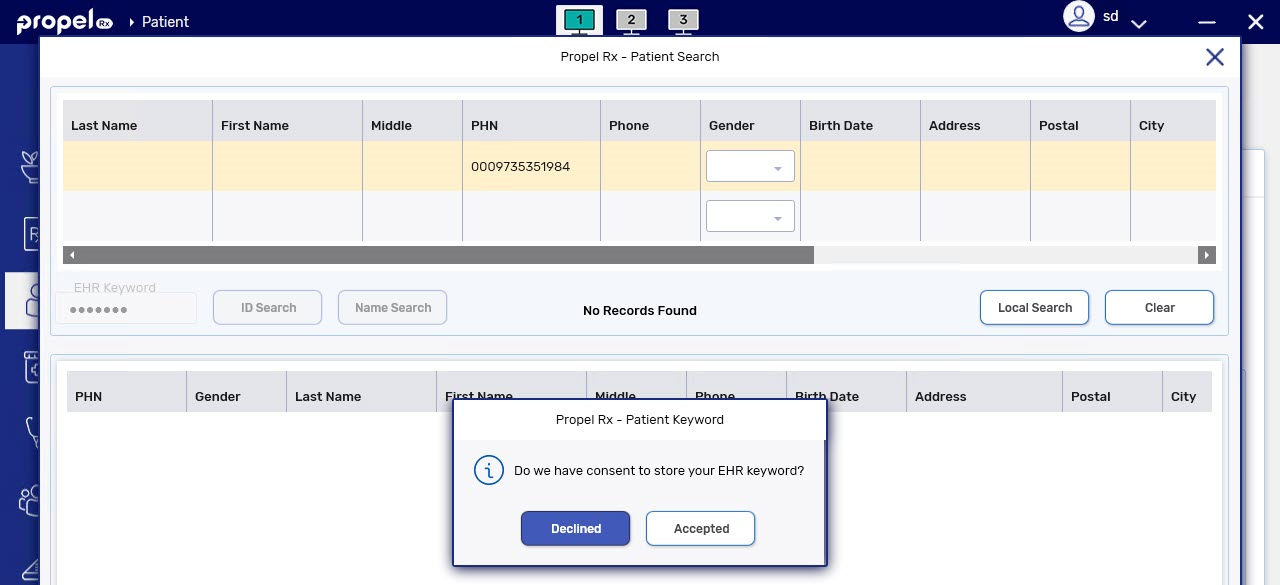
If Accepted is selected, the keyword is stored in the Patient Folder Programs tab indefinitely.
-
If Declined is selected, the keyword is stored temporarily in the Patient Folder Programs tab for 24 hours.
Entering a Patient Keyword in the Patient Folder Programs Tab
To enter a Patient Keyword:
-
Open the Patient Folder.
-
Select the Programs tab.
-
In the section labelled "Do we have consent to store your EHR keyword?", choose one of the following options:
-
Accepted: the keyword is stored in the Patient Folder indefinitely.
-
Declined: the keyword is stored temporarily for 24 hours.
-
Not Asked: no keyword can be entered or stored.

-
-
If you selected Accepted or Declined, enter the keyword in the given field.
-
Select Save.
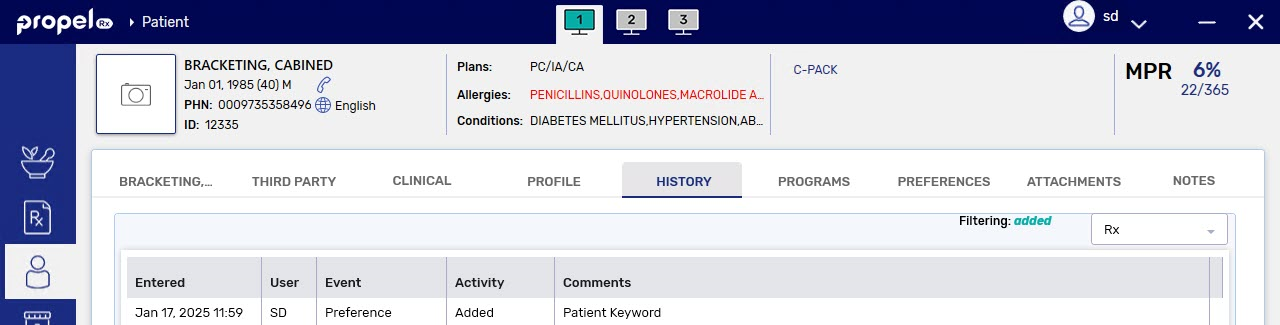
A record is added to the Patient Folder History tab to document that a keyword was entered.